API keys & the public API
Outside tools — a partner's reporting stack, a BI dashboard, another Aruna system — can read HRIS data over a public API. They do it with an API key that someone here issues, and a key opens only the parts of the API it was granted.
This page is for whoever issues those keys. If you only need to read the reference, skip to The API reference.
Issuing and revoking keys needs the System Info module.
1. What a key opens
The public API is divided into API modules. A key is granted one or more of them at the moment it is created, and reads only those.
| API module | What it opens |
|---|---|
| Routing lookup | Resolve one creator by an email address you already hold, and get back her Slack channel, her Slack account and who manages her. Returns no email addresses and cannot list the roster |
| Model roster | The list of models and the platforms each is on, with their handle there. No earnings |
| Model performance | Weekly performance figures per model |
| Employee directory | Who works here, in what department and role. No pay, no banking details, no personal contact information |
| Finance summaries | Payroll and expense totals per cutoff, and the list of cutoff periods |
| Model income | What each model earned, across every platform, by cutoff, month or day |
| Stream schedule | When each model is scheduled to stream, when it actually ran, and which operators worked it |
A request to a module a key wasn't granted comes back 403 — the endpoint is
there, that key just doesn't open it. That is different from a 401, which
means the key itself is unknown, revoked or expired.
A key's modules are fixed when it's issued
There is no way to widen a key later. Changing what one reads means revoking it and issuing another — deliberately, so a tool's reach can never shift underneath an integration that is already running.
2. Issuing a key
Open Info → API keys.
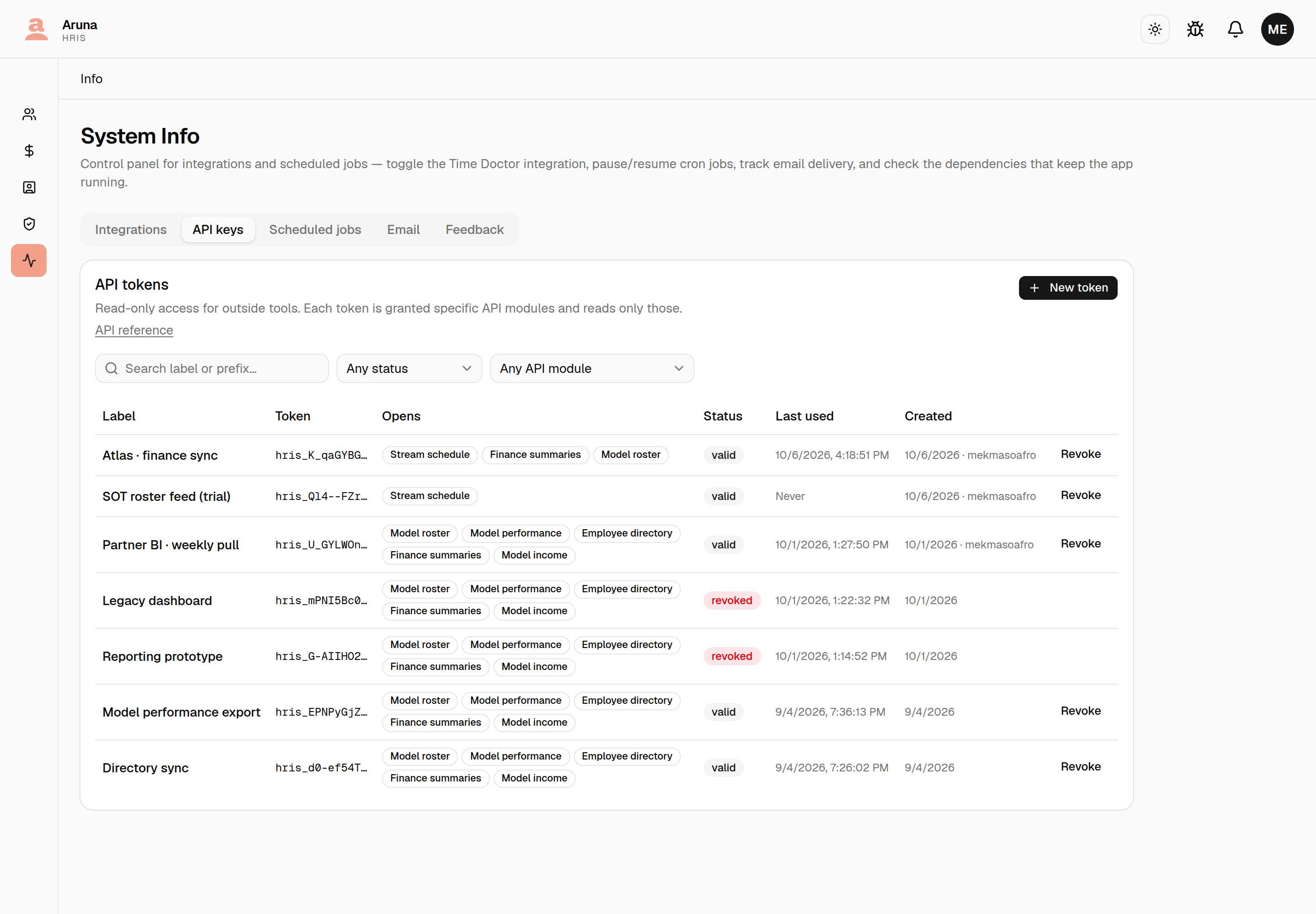
Press New token.
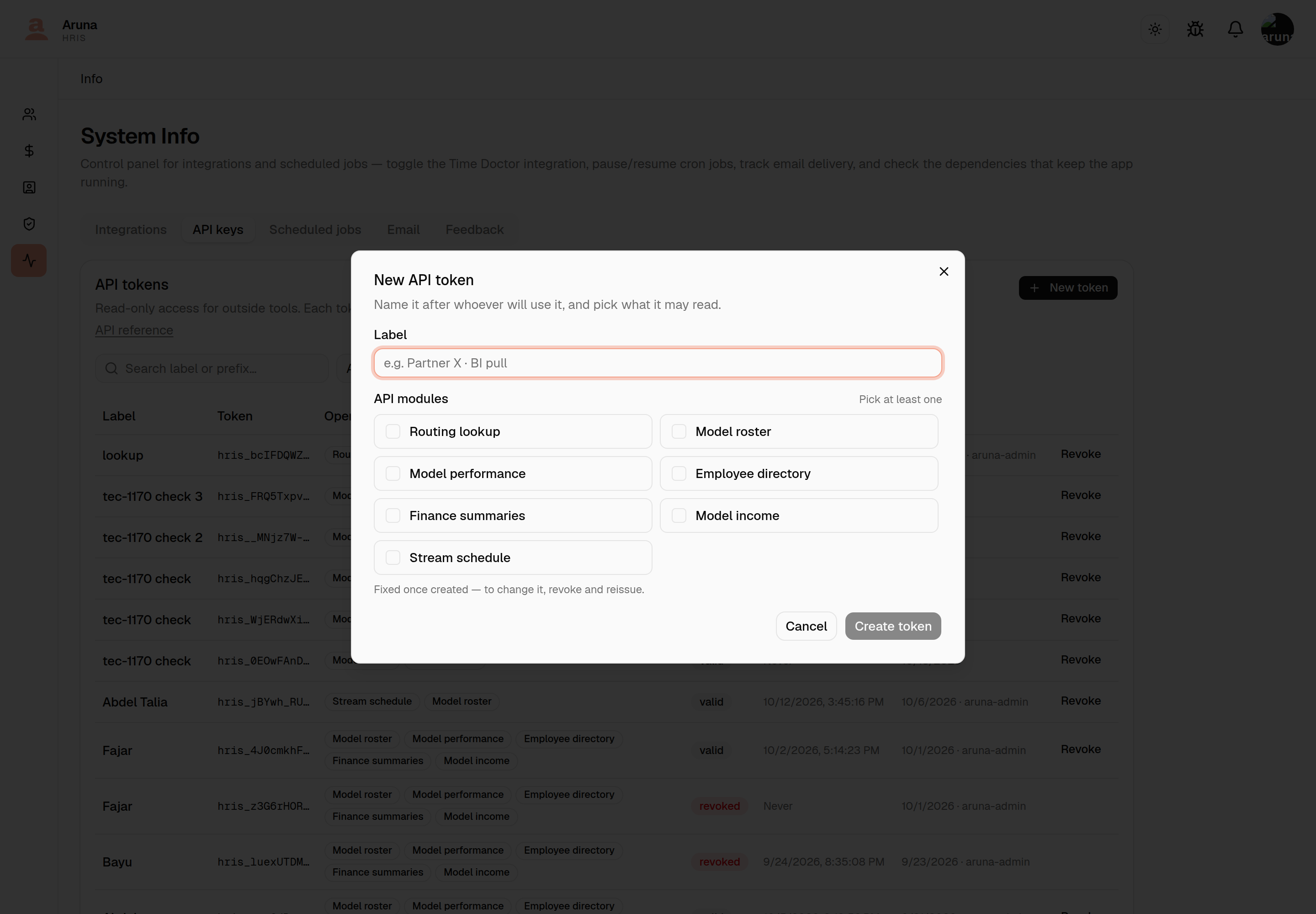
- Label — name it after whoever will use it, so it can be recognised and revoked later. "Partner X · BI pull" is a good label; "test" is not.
- API modules — tick what this key may read. Nothing is ticked by default, and Create token stays disabled until you pick at least one. Ask what the integration actually needs rather than granting everything.
- Create token.
The key is shown once
The raw key appears exactly once, on creation. It isn't stored and can't be retrieved afterwards — the list only ever shows a masked prefix. Copy it straight into wherever it's going. If it's lost, revoke it and issue another.
Finding a key later
The list grows and never shrinks: revoking is a timestamp, not a delete, so the audit trail survives and dead keys stay visible. Three controls narrow it, and they compose:
- Search — matches the label or the visible token prefix. The prefix is what you can read off a failing integration's config.
- Any status — Valid, Expired or Revoked. A key that was revoked and has since passed its expiry counts as revoked.
- Any API module — every key that opens a given module. "Who can read payroll?" is one dropdown.
Revoking
Revoke on the row. Anything using that key stops working immediately and the row stays in the list, marked revoked. It can't be undone — issue a new key to restore access.
3. The API reference
Profile menu → HRIS API, or the API reference link on the API keys card.
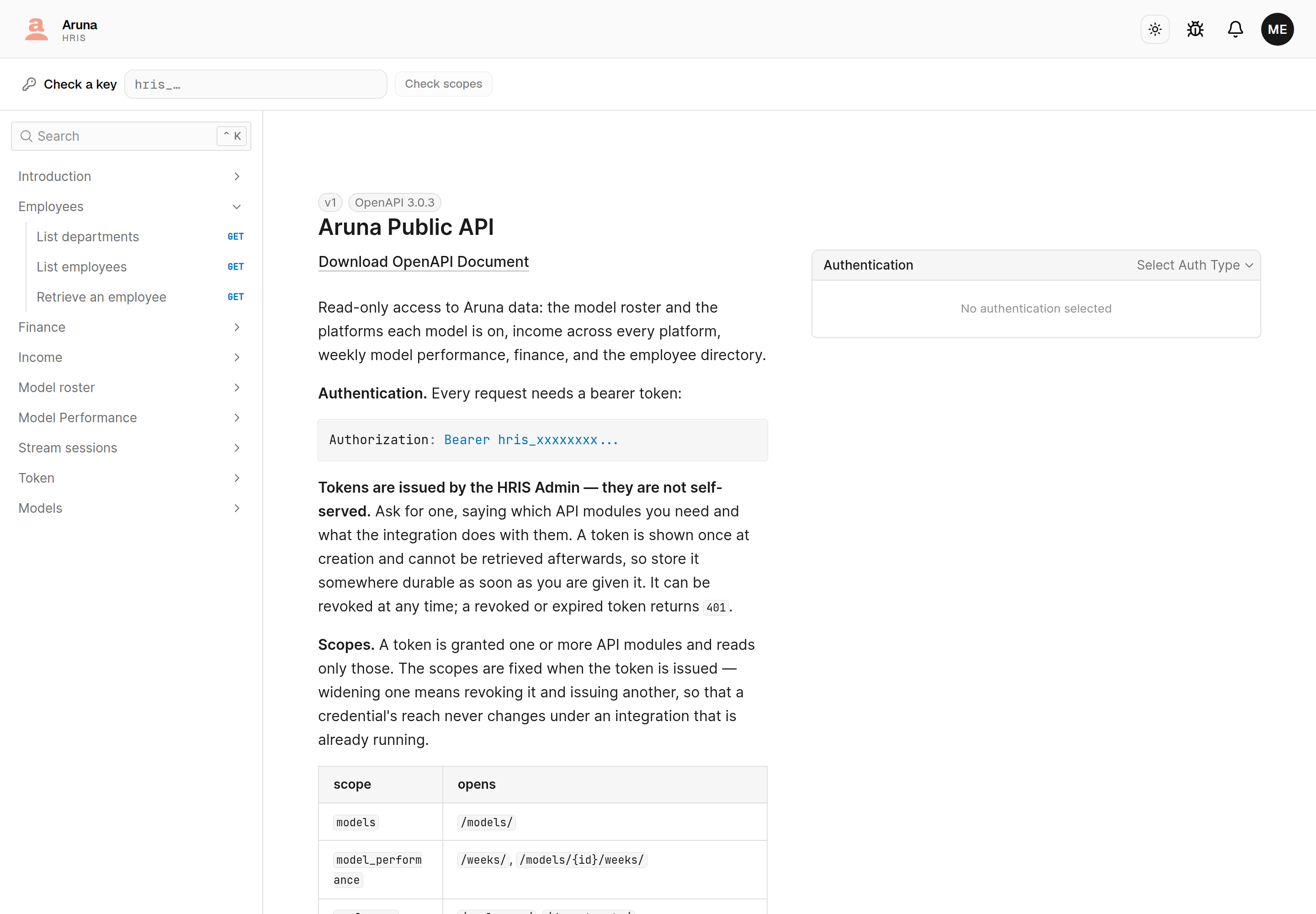
It documents every endpoint, its parameters and its response shape, generated from the API itself — so it can't drift from what the API actually does.
Anyone with an HRIS account can read it. You don't need the System Info module — that's only for issuing keys.
It isn't public
This used to be an open page anyone could find. It isn't any more — a partner with no HRIS account can't read it. Send them what their integration needs along with their key.
Check a key
Paste a key into the bar at the top and press Check scopes. It names the API modules that key opens.
This answers "which modules does this key actually have?" without six requests and some guessing. It discloses nothing — you have to hold the key to ask.
A key that is valid but opens nothing is a result, not an error: the bar says so plainly, which is the state most worth being able to see.
Troubleshooting
A partner gets 403 on an endpoint. Their key wasn't granted that API
module. Paste the key into Check scopes to confirm, then revoke and reissue
with the module added — it can't be widened in place.
A partner gets 401 on everything. The key is unknown, revoked or expired.
Check its row's Status.
A partner can't open the reference. It needs an HRIS account, which partners don't have. That's deliberate — send them what they need directly. Anyone here can read it without any module.
The key was lost right after creation. It's unrecoverable. Revoke it and issue another.